Fox Red Labs / Builds / Tools and languages
Blink an LED, then change the pattern in plain English
Plug in a LaunchPad, build TI's blink example, flash it and watch the LED. Then change the pattern: ask for it in plain English, or edit one number in a terminal.
EasyNo wiring3 min to blink, tools installed
Parts and steps
Your board
You need
- LP-MSPM0L1306 LaunchPad development kit Buy the board
- Micro-USB data cable power and programming
Software, free with a myTI login: CCStudio 21.0.1, MSPM0 SDK 2.11.00.07, xPack OpenOCD 0.12.0-7, SysConfig 1.26.3.
Plug a micro-USB data cable into the debugger end of the MSPM0 L1306. No driver to install.
In Chrome or Edge, open the browser bench and click Connect.
Click Flash. The page writes the demo to the board.
You should see: The page writes the demo to the board and shows you the result.
Set up your computer once: 1 step. Done already? Start at step 2.
Install the tools once, all free: CCStudio 21.0.1 from TI's CCStudio download page (1.9 GB download, 8.1 GB installed, free myTI login) (it brings TI Arm Clang 5.1.1), the MSPM0 SDK 2.11.00.07 from TI's MSPM0 SDK download page (0.4 GB download, 2.2 GB installed), and xPack OpenOCD 0.12.0-7 from its GitHub release page (2 MB; the file xpack-openocd-0.12.0-7-darwin-x64.tar.gz on an Intel Mac, xpack-openocd-0.12.0-7-darwin-arm64.tar.gz on Apple Silicon).TERMINAL
The helper script
sdkmake.shin this repository expects the SDK at/Applications/ti/mspm0_sdk_2_11_00_07, SysConfig 1.26.3 at/Applications/ti/sysconfig_1.26.3and the compiler under/Applications/ti/ccs2101. SysConfig 1.26.3, the version this repo's scripts point at, came with the SimpleLink Wi-Fi SDK installer (10.20.00.39, which you do not need otherwise; you can get SysConfig alone from TI's SysConfig page, 0.96 GB installed) on the test Mac (it put it in/Applications/ti/sysconfig_1.26.3); CCStudio 21.0.1 carries its own 1.28.1, which this repo's scripts do not point at.You should see:
/Applications/ti/ccs2101/ccs/tools/compiler/ti-cgt-armllvm_5.1.1.LTS/bin/tiarmclang --versionprints 5.1.1, andopenocd --versionprints 0.12.0.
Plug the board into the Mac with a micro-USB data cable.BENCH
The board shows up as an XDS110 probe with two serial ports; there is no driver to install. Read your probe's serial number with
ls /dev/cu.usbmodem*(the text afterusbmodem, minus the last digit), or with/Applications/ti/ccs2101/ccs/ccs_base/common/uscif/xds110/xdsdfu -efrom CCStudio.You should see: The Mac lists the probe and two serial ports. A new board shows TI's out-of-box demo.
From the root of this repository, run the whole route with your probe's serial number.TERMINAL
It backs the board up, copies TI's blink example, builds it, flashes it and times the LED pin through the debugger. It took 13 to 14 s on this bench with the tools installed. Leave off
--probeonly if one probe is plugged in; with several, it stops with FRL-E002.Replace <serial> before you run this.
./start.sh mspm0l1306 blink --probe <serial>You should see: The run ends with a line that starts
OK:and the RGB LED on the board cycles.Or do it by hand, from the mspm0l1306 folder of this repository.TERMINAL
Copy TI's example out of the SDK, build it (3.3 s), then flash it with OpenOCD (0.6 s). The repository's
tools/ocd.shpicks the probe by serial number and refuses to run if it is missing.Replace <repository folder> and <serial> before you run this.
cd <repository folder>/mspm0l1306
cp -R /Applications/ti/mspm0_sdk_2_11_00_07/examples/nortos/LP_MSPM0L1306/driverlib/gpio_toggle_output .
../mspm0g3507/mcu-bench/sdk-common/sdkmake.sh gpio_toggle_output/ticlang
PROBE=<serial> tools/ocd.sh "reset halt" "program gpio_toggle_output/ticlang/gpio_toggle_output.out verify" "reset run"
You should see: OpenOCD ends with
** Verified OK **, and the RGB LED cycles.
You need
- LP-MSPM0C1104 LaunchPad development kit the board
- Micro-USB data cable power and programming
Software, free with a myTI login: CCStudio 21.0.1, MSPM0 SDK 2.11.00.07, xPack OpenOCD 0.12.0-7, SysConfig 1.26.3.
Plug a micro-USB data cable into the debugger end of the MSPM0 C1104. No driver to install.
In Chrome or Edge, open the browser bench and click Connect.
Click Flash. The page writes the demo to the board.
You should see: LED1 red (PA22) flashes twice, then pauses.
Set up your computer once: 1 step. Done already? Start at step 2.
Install the tools once, all free: CCStudio 21.0.1 from TI's CCStudio download page (1.9 GB download, 8.1 GB installed, free myTI login) (it brings TI Arm Clang 5.1.1), the MSPM0 SDK 2.11.00.07 from TI's MSPM0 SDK download page (0.4 GB download, 2.2 GB installed), and xPack OpenOCD 0.12.0-7 from its GitHub release page (2 MB; the file xpack-openocd-0.12.0-7-darwin-x64.tar.gz on an Intel Mac, xpack-openocd-0.12.0-7-darwin-arm64.tar.gz on Apple Silicon).TERMINAL
The helper script
sdkmake.shin this repository expects the SDK at/Applications/ti/mspm0_sdk_2_11_00_07, SysConfig 1.26.3 at/Applications/ti/sysconfig_1.26.3and the compiler under/Applications/ti/ccs2101. SysConfig 1.26.3, the version this repo's scripts point at, came with the SimpleLink Wi-Fi SDK installer (10.20.00.39, which you do not need otherwise; you can get SysConfig alone from TI's SysConfig page, 0.96 GB installed) on the test Mac (it put it in/Applications/ti/sysconfig_1.26.3); CCStudio 21.0.1 carries its own 1.28.1, which this repo's scripts do not point at.You should see:
/Applications/ti/ccs2101/ccs/tools/compiler/ti-cgt-armllvm_5.1.1.LTS/bin/tiarmclang --versionprints 5.1.1, andopenocd --versionprints 0.12.0.
Plug the board into the Mac with a micro-USB data cable.BENCH
The board shows up as an XDS110 probe with two serial ports; there is no driver to install. Read your probe's serial number with
ls /dev/cu.usbmodem*(the text afterusbmodem, minus the last digit), or with/Applications/ti/ccs2101/ccs/ccs_base/common/uscif/xds110/xdsdfu -efrom CCStudio.You should see: The Mac lists the probe and two serial ports. The MSPM0 C1104 shows its red LED on or blinking before you flash anything.
Copy TI's example out of the SDK and build it, from the mspm0c1104 folder of this repository.TERMINAL
The build took 3.5 s.
Replace <repository folder> before you run this.
cd <repository folder>/mspm0c1104
cp -R /Applications/ti/mspm0_sdk_2_11_00_07/examples/nortos/LP_MSPM0C1104/driverlib/gpio_toggle_output .
../mspm0g3507/mcu-bench/sdk-common/sdkmake.sh gpio_toggle_output/ticlang
You should see: A build with no errors that leaves
gpio_toggle_output/ticlang/gpio_toggle_output.out.Flash it with OpenOCD.TERMINAL
Replace
<serial>with your probe's (0.64 s at a 2.5 MHz adapter speed).Replace <serial> before you run this.
openocd -f interface/xds110.cfg -c "adapter serial <serial>" -f target/ti_mspm0.cfg -c init -c "reset halt" -c "program gpio_toggle_output/ticlang/gpio_toggle_output.out verify" -c "reset run" -c shutdownYou should see: OpenOCD ends with
** Verified OK **, and the red LED blinks.
You need
- LP-MSPM0G3507 LaunchPad development kit Buy the board
- Micro-USB data cable power and programming
Software, free with a myTI login: CCStudio 21.0.1, MSPM0 SDK 2.11.00.07.
Plug a micro-USB data cable into the debugger end of the MSPM0 G3507. No driver to install.
In Chrome or Edge, open the browser bench and click Connect.
Click Flash. The page writes the demo to the board.
You should see: LED2 red (PB26) flashes twice, then pauses.
Set up your computer once: 6 steps. Done already? Start at step 7.
Check you have at least 12 GB free (Apple menu, System Settings, General, Storage).MAC
Make a free myTI account on ti.com if you do not have one. Delete each installer file once it has finished installing.
You should see: At least 12 GB free. CCStudio and the SDK take 10.3 GB once installed.
Download CCStudio 21.0.1 for macOS from TI's CCStudio download page (1.9 GB) and install it.BROWSER
It goes to
/Applications/ti/ccs2101. Open it once when the installer finishes, then delete the installer file.You should see: CCStudio opens to its start page. About 19 minutes in all on the test Mac, 7 of them your time.
Open TI's MSPM0 SDK download page (0.4 GB download, 2.2 GB installed) and download the macOS file, mspm0_sdk_2_11_00_07.app.zip (0.4 GB).BROWSER
On that page it is the macOS
.app.zipentry for version 2.11.00.07.You should see: The zip lands in your downloads folder after about 3 minutes.
Unzip the file, open the installer and click through it.INSTALLER
It installs to
/Applications/ti/mspm0_sdk_2_11_00_07(2.2 GB). Then delete the zip and the installer.You should see: The folder
/Applications/ti/mspm0_sdk_2_11_00_07exists. 1 minute of clicks and 2 min 48 s of waiting on the test Mac.Choose Help, Get Started with AI.CCSTUDIO
Set Agent to Claude Code and tick Enable. Provider: Anthropic. Scope: pick Workspace. Leave Auth Token and Base URL blank, tick "Enable CCStudio IDE ecosystem MCP servers for Claude Code", click Apply, and log in to Claude in the chat panel if it asks. Keep CCStudio open from here on: its build and flash servers only run while it is open.
You should see: The chat panel answers, and all four of CCStudio's tool servers (project, debug, SysConfig, serial) respond.
Install Claude Code if you do not have it (curl -fsSL https://claude.ai/install.sh | bash, then claude once to log in).TERMINAL
Save the file below as
ccs-mcp.jsonin the folder you will work in, and start Claude Code withclaude --mcp-config ccs-mcp.json. In VS Code, open that folder and start Claude Code from its panel the same way.{"mcpServers": { "ccs-project": {"command": "/usr/bin/env", "args": ["-u", "ELECTRON_RUN_AS_NODE", "/Applications/ti/ccs2101/ccs/tools/node/node", "/Applications/ti/ccs2101/ccs/Code Composer Studio.app/Contents/Resources/app/plugins/ccs-ai/extension/dist/mcp-server-proxy.js", "project"]}, "ccs-debug": {"command": "/usr/bin/env", "args": ["-u", "ELECTRON_RUN_AS_NODE", "/Applications/ti/ccs2101/ccs/tools/node/node", "/Applications/ti/ccs2101/ccs/Code Composer Studio.app/Contents/Resources/app/plugins/ccs-ai/extension/dist/mcp-server-proxy.js", "debug"]}, "ccs-sysconfig": {"command": "/usr/bin/env", "args": ["-u", "ELECTRON_RUN_AS_NODE", "/Applications/ti/ccs2101/ccs/tools/node/node", "/Applications/ti/ccs2101/ccs/Code Composer Studio.app/Contents/Resources/app/plugins/ccs-ai/extension/dist/mcp-server-proxy.js", "sysconfig"]}, "ccs-serial": {"command": "/usr/bin/env", "args": ["-u", "ELECTRON_RUN_AS_NODE", "/Applications/ti/ccs2101/ccs/tools/node/node", "/Applications/ti/ccs2101/ccs/Code Composer Studio.app/Contents/Resources/app/plugins/ccs-ai/extension/dist/mcp-server-proxy.js", "serial"]} }}You should see: Claude Code starts with the four servers ccs-project, ccs-debug, ccs-sysconfig and ccs-serial registered. Saving this file and starting Claude Code by hand, as written here, has not been timed on a fresh Mac.
Plug the board into the Mac with the USB cable, at the micro-USB port on the debugger end of the board.BENCH
There is no driver to install.
You should see: The Mac sees a debug probe and two serial ports;
/Applications/ti/ccs2101/ccs/ccs_base/common/uscif/xds110/xdsdfu -elists the probe. A board that was used before may already be blinking its old program.Type the line below.TERMINAL
Claude Code imports TI's example through CCStudio, cuts the delay, builds it, flashes it and starts it. Look at the RGB LED. If Claude Code asks permission to use a
ccs-projectorccs-debugtool, say yes; it asks once per tool.I plugged in an LP-MSPM0G3507 and CCStudio is open. Import TI's gpio_toggle_output example for LP_MSPM0G3507, make the blink 5 times faster, then build it, flash it and run it.You should see: The RGB LED blinks about five times a second. The delay went from 0.5 s to 0.1 s (the constant 16000000 to 3200000).
Where a TI MSPM0 SDK example ships a gcc makefile, GCC builds it as well as TI Arm Clang does. All 224 no-RTOS DriverLib examples that ship one built unchanged for the MSPM0 G3507 and MSPM0 L1306, and 87 of 87 ran on the L1306 with no fault.
Details
GCC 12.2 from the Zephyr SDK ran through three small wrapper scripts named arm-none-eabi-*; TI names Arm GNU 9-2019-q4. GCC code was a median 15 percent larger. Copy the SDK's example folder somewhere first, go into its gcc folder, and put the folder of a GCC install (the one that holds bin/arm-none-eabi-gcc) in place of <GCC folder>. Details: portability/toolchains/gcc-mspm0/README.md.
Replace <GCC folder> before you run this.
make MSPM0_SDK_INSTALL_DIR=/Applications/ti/mspm0_sdk_2_11_00_07 SYSCONFIG_TOOL=/Applications/ti/sysconfig_1.26.3/sysconfig_cli.sh GCC_ARMCOMPILER=<GCC folder>This is one command from the recorded notes, not a complete run: copy the SDK example folder out first and go into its gcc folder.
Or hand it to a coding assistant
Plug in the board and paste this in a terminal.
git clone --depth 1 --filter=blob:none https://github.com/Fox-Red-Labs/fox-red-labs.git && cd fox-red-labs
./start.sh mspm0l1306 blinkgit clone --depth 1 --filter=blob:none https://github.com/Fox-Red-Labs/fox-red-labs.git && cd fox-red-labs
py start.py mspm0l1306 blinkIt runs the steps above and reports what it saw.
Not Claude Code? Copy this prompt instead.
Or hand it to a coding assistant
Plug in the board and paste this in a terminal.
git clone --depth 1 --filter=blob:none https://github.com/Fox-Red-Labs/fox-red-labs.git && cd fox-red-labs
./start.sh mspm0c1104 blinkgit clone --depth 1 --filter=blob:none https://github.com/Fox-Red-Labs/fox-red-labs.git && cd fox-red-labs
py start.py mspm0c1104 blinkIt runs the steps above and reports what it saw.
Not Claude Code? Copy this prompt instead.
Or hand it to a coding assistant
Paste this in a terminal. It hands off to an AI assistant.
git clone --depth 1 --filter=blob:none https://github.com/Fox-Red-Labs/fox-red-labs.git && cd fox-red-labs
./start.sh mspm0g3507 blink --assistant claudegit clone --depth 1 --filter=blob:none https://github.com/Fox-Red-Labs/fox-red-labs.git && cd fox-red-labs
py start.py mspm0g3507 blink --assistant claudeIt runs the steps above and reports what it saw.
Not Claude Code? Copy this prompt instead.
Make it yours
By hand
Ask for a different pattern: run the same command with --pattern and four times in milliseconds (on, off, on, pause).
Replace <serial> before you run this.
./start.sh mspm0l1306 blink --probe <serial> --pattern 150,150,150,900You should see: The run ends with OK: and says LED2 red (PA26) repeats the pattern you asked for.
By hand
Change the delay in gpio_toggle_output.c, then rebuild and flash again with the two commands above. The run changed the delay constant from 12,000,000 to 3,000,000.
You should see: The blink rate changes. On the C1104 the proof was reading the LED pin: the toggle period went from 496 ms to 124 ms. A person did not watch it.
With an AI assistant
You should see: The LED shows blue, then red, then green, two seconds each. You check the LED; the AI cannot.
By hand
Open gpio_toggle_output.c and change the delay constant (16000000 on this board) to 3200000, then build and flash again.
You should see: The LED blinks five times faster.
If something goes wrong
| Your tools live elsewhere | Set FRL_MSPM0_SDK, FRL_SYSCONFIG and FRL_TICLANG to where they are; sdkmake.sh reads them through tools/frl/toolenv.py. |
| Nothing appears | Try another cable; a charge-only cable looks the same. |
| It stops with FRL-E002 | Several probes are plugged in: name yours with --probe. python3 tools/frl/frl.py detect lists them. |
| OpenOCD prints `Error | Checksum mismatch - attempting binary compare` first; that is normal, and the next line is the real result. |
| The check fails | Read the line it prints; the check decides the result, not the LED you see. |
Every fix for this board: the FAQ.
| Your tools live elsewhere | Set FRL_MSPM0_SDK, FRL_SYSCONFIG and FRL_TICLANG to where they are; sdkmake.sh reads them through tools/frl/toolenv.py. |
| Nothing appears | Try another cable; a charge-only cable looks the same. |
| On an MSPM0 C1104 board older than version E3 the LED does not blink | The red LED moved from PA4 to PA22, and TI's example toggles PA22. Check the version printed on the board (and that jumper J7 is on). |
| OpenOCD prints `Error | Checksum mismatch - attempting binary compare` first; that is normal, and the next line is the real result. |
| The rate does not change | Check the build finished with no errors before flashing; the old image keeps running. |
Every fix for this board: the FAQ.
| The Mac runs short during the CCStudio install | The installer file is probably still on disk; delete it. |
| TI shows a short export approval form before the download | Fill it in (about a minute). |
| CCStudio quits without a window on first launch | Open it yourself from Applications. |
| Nothing seems to download | Look in your browser's downloads. The SDK downloads in the browser, not inside CCStudio. |
| CCStudio lists no SDK afterwards | Quit CCStudio and open it again. |
More troubleshooting
| Several chat panels open | Close the extras; one is enough. Scope starts on Global; Workspace keeps the change out of every other Claude Code session on your Mac. |
| Claude Code says a server timed out | Check CCStudio is open with a workspace and that step 5's Apply was pressed. |
CCStudio is not in /Applications/ti/ccs2101 | Change that path in all four lines. |
| The Mac sees nothing | Try another micro-USB cable: a charge-only cable looks the same. A USB-C-only Mac needs an adapter. |
| The board blinked before you typed anything | That was a program already on it; this step replaces it, so a faster blink is your proof. |
| The colors are wrong | Say what you see in plain words and ask again. The AI edits the same file and flashes again. |
Every fix for this board: the FAQ.
What to build next
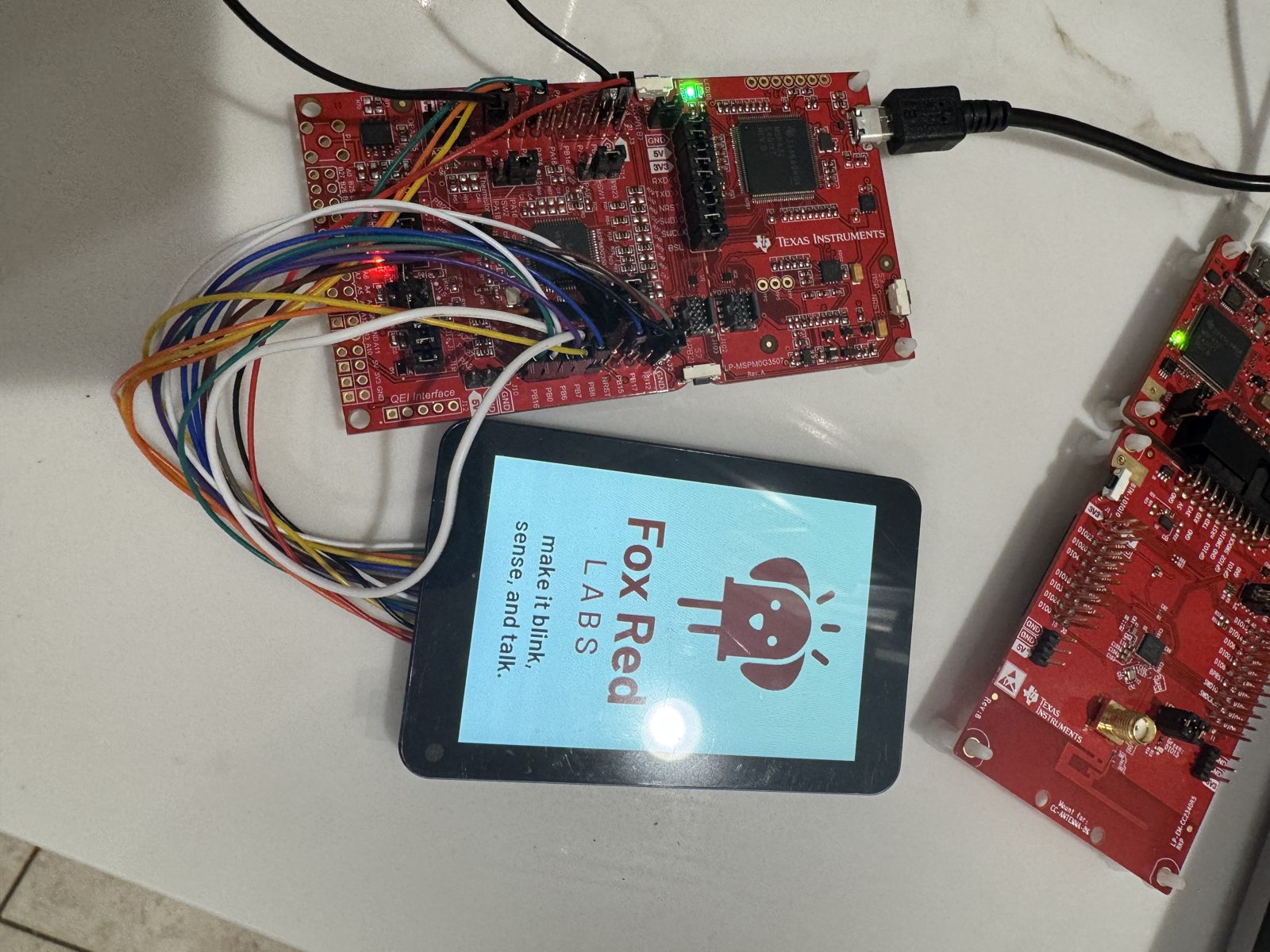
Every build. The code for all of them is in the GitHub repository.
Evidence and limitsBlinking in 2 min 29 s on the MSPM0 G3507; the blink runs on all 10 boards listed here. Ran on 3 boards. Results, sources, timing and limits.
From a terminal, no AI step, on the LP-MSPM0L1306
Expected result: The board's RGB LED blinks after a flash that takes about a second, and the one-command run ends with an OK line. Whole run 13 to 14 s with the tools installed.
What this shows
- TI's gpio_toggle_output example builds and flashes on the MSPM0 L1306 from one command, with no CCStudio window and no AI step.
- The check reads the LED pin through the debugger and passes the pattern you asked for.
What this does not establish, and limits
What this does not establish
- That an AI assistant can drive this route: no AI step was timed on this board for this route.
- A person's first-hour time: the 13 to 14 s is a scripted run with the tools already installed.
Limits to keep in mind
- The helper scripts hard-code the Mac paths in step 1.
- Checked on an Intel Mac on macOS 15.7 only.
- Nothing here ran through CCStudio on this board.
Sources
Versions, sizes and timing
| Whole route | 13 to 14 s from the command to a checked pattern, tools installed | first-use tool notes |
|---|---|---|
| Build and flash by hand | build 3.3 s, OpenOCD flash and verify 0.6 s; UniFlash's command line also works in 15.0 s | README notes |
| Tools | MSPM0 SDK 2.11.00.07, TI Arm Clang 5.1.1.LTS, SysConfig 1.26.3, xPack OpenOCD 0.12.0-7, Intel Mac on macOS 15.7 | README notes |
Evidence
- MSPM0 L1306: the one-command route ran on hardware on 2026-10-14 (Intel Mac, tools installed): back up, build, flash and check in 13 to 14 s. first-use tool notes
- MSPM0 L1306: TI's blink example built in 3.3 s and flashed in 0.6 s with OpenOCD, and the RGB LED cycled (2026-10-06). README notes
Other boards
- MSPM0G3507should work
- CC2340R5, F2800137, MSPM33C321A, AM13E230, CC2755P10, CC35X1, CC1354P10, MSPM0G3519, MSPM0G5187ran another way
- MSPM0C1104not assessed
What the status words mean
Works ran here and did what it shouldCould work some of it ran; real porting effort is left; hover for whatNot for this chip the chip or its vendor software cannot; hover for why
From a terminal, no AI step, on the LP-MSPM0C1104
Expected result: The board's red LED blinks the shipped pattern after a flash that takes under a second, then blinks at the rate you set after you change the delay and flash again. Build under 5 s, flash under 2 s.
What this shows
- TI's gpio_toggle_output example builds with one make wrapper and flashes with OpenOCD on the MSPM0 C1104, with no CCStudio window and no AI step.
- On the C1104 a changed delay changed the pin's toggle period from 496 ms to 124 ms, read from the pin.
What this does not establish, and limits
What this does not establish
- That an AI assistant can drive this route: no AI step was timed on either board.
- A person's first-hour time: the C1104 number is a scripted run's, with tools installed and hands-on time zero.
- That the C1104's change was seen by a person; it was read from the pin.
Limits to keep in mind
- The helper scripts hard-code the Mac paths in step 1.
- Nothing here ran through CCStudio on these two boards.
Sources
Versions, sizes and timing
| C1104 build and flash | builds 3.1, 3.5 and 4.3 s; OpenOCD flash 0.58 to 0.67 s at a 2.5 MHz adapter speed, 1.3 s at the default 100 kHz; first command to proof 77 s | |
|---|---|---|
| Tools | MSPM0 SDK 2.11.00.07, TI Arm Clang 5.1.1.LTS, SysConfig 1.26.3, xPack OpenOCD 0.12.0-7, Intel Mac on macOS 15.7.9 | README notes |
Evidence
- MSPM0 C1104: first command to a changed blink in 77 s on 2026-10-08, proven by reading the LED pin. The box was opened off camera and nobody watched the LED.
Other boards
- MSPM0G3507should work
- MSPM0L1306not assessed
- CC2340R5, F2800137, MSPM33C321A, AM13E230, CC2755P10, CC35X1, CC1354P10, MSPM0G3519, MSPM0G5187ran another way
What the status words mean
Works ran here and did what it shouldCould work some of it ran; real porting effort is left; hover for whatNot for this chip the chip or its vendor software cannot; hover for why
CCStudio and Claude Code, on the LP-MSPM0G3507
Expected result: The RGB LED blinks about five times a second within about 3 minutes of plugging in, once the tools are installed, then shows blue, red and green two seconds each when you ask for that.
What this shows
- TI's gpio_toggle_output example imports, builds, flashes and runs on the MSPM0 G3507 from one typed sentence to Claude Code, through CCStudio's tool servers.
- A change you ask for in plain English reaches the board: the delay went from 0.5 s to 0.1 s and a person saw the LED change.
What this does not establish, and limits
What this does not establish
- A clean-machine setup time: the Mac already had git, Claude Code and Node, and was logged in to Claude and myTI. About 30 minutes of clearing disk space was not counted.
- That CCStudio's own chat panel does the same: it answers, but no blink has been run through it.
- That step 6 works as written on a fresh Mac: saving the file by hand was not timed.
- Any result on Apple Silicon, Windows or Linux, or with an assistant other than Claude Code.
Limits to keep in mind
- The board was already programmed, so this is not a first-flash-from-new run.
- CCStudio must stay open: its build and flash servers only run while it is.
Sources
Why this board
It has its own USB debugger, so there is no probe to buy. Its 32 kB of RAM leaves room for a screen or a small AI model.
Versions, sizes and timing
| Time, plug-in to a changed blink | 2 min 29 s on the wall clock, 09:13:32 to 09:16:01 on 2026-10-05, with the tools already installed: import 2 s, build 6 s, flash and start 38 s, about a minute before any prompt was typed | |
|---|---|---|
| Time, first-time setup | about 29 min on 2026-10-04 (11 of your time, 18 waiting); the Mac already had git, Claude Code and Node and was logged in to Claude and myTI, so this is not a clean-machine number | |
| Software | CCStudio 21.0.1 (/Applications/ti/ccs2101), MSPM0 SDK 2.11.00.07, Intel MacBook, macOS 15.7.9 | |
| Disk | CCStudio and the SDK take 10.3 GB once installed (CCStudio 1.9 GB download, SDK 0.4 GB download becoming 2.2 GB) |
Evidence
- Ran on an MSPM0 G3507 on 2026-10-05 with Claude Code in VS Code calling CCStudio's build and flash servers; a person watched the LED. 2 min 29 s from plugging in to a changed blink, tools installed. This was not a sealed box.
- Setup steps 1 to 5 were timed on 2026-10-04. Step 5 (CCStudio's own chat panel) answered, but no blink was run through that panel on any board.
Other boards
- MSPM0L1306, MSPM0C1104not assessed
- CC2340R5, F2800137, MSPM33C321A, AM13E230, CC2755P10, CC35X1, CC1354P10, MSPM0G3519, MSPM0G5187ran another way
What the status words mean
Works ran here and did what it shouldCould work some of it ran; real porting effort is left; hover for whatNot for this chip the chip or its vendor software cannot; hover for why
Result grid
Details
82 s with Zephyr. The build takes 22 s and the flash 7 sDetails
frl writes it to flash in 9.4 s through CCStudio scripting and times LED4Works ran here and did what it shouldShould work it builds; only naming, packaging or build glue is in the way; hover for whichCould work some of it ran; real porting effort is left; hover for whatNot for this chip the chip or its vendor software cannot; hover for why
Source files
Get the code and tell us how it wentThe clone command, the board folder with its AGENTS.md, reports from others, and the three report forms.
Get the code
Clone the repository and open the board's folder below. AGENTS.md is a plain text file of notes for AI coding assistants, and llms.txt at the root indexes the site for one.
git clone https://github.com/Fox-Red-Labs/fox-red-labs.git- LP-MSPM0G3507: folder
mspm0g3507/.- README: the board's lab notebook (what was run, in order)
- Notes for an AI coding assistant working in this repository: notes for an AI assistant; copy it into your own project if you use one
- FAQ: errors and fixes
The other 4 board folders
- LP-MSPM0L1306: folder
mspm0l1306/.- README: the board's lab notebook (what was run, in order)
- Notes for an AI coding assistant working in this repository: notes for an AI assistant; copy it into your own project if you use one
- FAQ: errors and fixes
- LP-EM-CC2340R5: folder
cc2340r5/.- README: the board's lab notebook (what was run, in order)
- Notes for an AI coding assistant working in this repository: notes for an AI assistant; copy it into your own project if you use one
- FAQ: errors and fixes
- LAUNCHXL-F2800137: folder
c2000-launchpad/.- README: the board's lab notebook (what was run, in order)
- Notes for an AI coding assistant working in this repository: notes for an AI assistant; copy it into your own project if you use one
- FAQ: errors and fixes
- LP-MSPM0C1104: folder
mspm0c1104/.- README: the board's lab notebook (what was run, in order)
- Notes for an AI coding assistant working in this repository: notes for an AI assistant; copy it into your own project if you use one
- FAQ: errors and fixes
- LP-MSPM0L1306: folder
Code is BSD-3-Clause, writing is CC BY 4.0; third-party folders keep their own licenses.
Built it? Tell us
Built this, or got stuck? Report it on GitHub with a few short answers. Your report shows here in your words, marked as yours. A failure that repeats on the bench gets its fix here.