Fox Red Labs / Builds / Arcade
Retro games on a TI LaunchPad
A Game Boy game, Arduboy games, 2048, Minesweeper, CHIP-8 and a ZX Spectrum, each on a screen wired or plugged onto a LaunchPad.
MediumWiring needed
Parts and steps
Which version
You need
- LP-MSPM33C321A LaunchPad development kit runs the Peanut-GB emulator; the 256 kB game sits in its 1 MB of flash
- BOOSTXL-EDUMKII Educational BoosterPack MKII the 128 by 128 screen and the stick and buttons
Fetch the game.TERMINAL
Download the two freely licensed test ROMs and check their hashes.
bash ports/peanut-gb/fetch_roms.shYou should see:
ports/peanut-gb/roms/holds Tobu Tobu Girl and dmg-acid2.Build the 160 MHz image.TERMINAL
Build the Educational BoosterPack app with the Game Boy emulator at 160 MHz, drawing every second frame.
cd portability/boosterpacks/edumkii APP=gameboy EDU_CLK160=1 GB_FLAGS=-DPGB_FRAME_SKIP EDU_TAG=skip ./build.sh mspm33c321aYou should see: The script prints the build folder and the
.outimage.Plug the BoosterPack on and flash.TERMINAL
Stack the Educational BoosterPack on the LaunchPad. Copy
mspm33c321a/MSPM33C321A_<probe serial>.ccxmltomspm33c321a/MSPM33C321A_<serial>.ccxmlwith your probe serial in place of<probe serial>(xdsdfu -elists it), then flash the.outthe build printed.Replace <serial>, <build folder> and <image> before you run this.
/Applications/ti/ccs2101/ccs/ccs_base/DebugServer/bin/DSLite flash -c mspm33c321a/MSPM33C321A_<serial>.ccxml -e -f -v <build folder>/<image>.out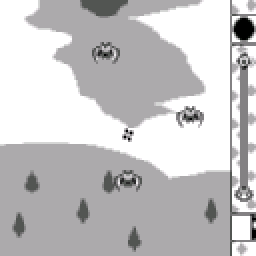
You should see: The logos run first; the Tobu Tobu Girl title appears after about 28 seconds. A and B together press Start, A starts the game.
You need
- LP-MSPM33C321A LaunchPad development kit runs the game
- BOOSTXL-EDUMKII Educational BoosterPack MKII the screen
Build Snake.TERMINAL
Build the Educational BoosterPack app with Snake, starting the game by itself.
cd portability/boosterpacks/edumkii APP=snake AUTOSTART=1 ./build.sh mspm33c321aYou should see: The script prints the build folder and the
.outimage.Plug the BoosterPack on and flash.TERMINAL
Stack the Educational BoosterPack on the LaunchPad. Copy
mspm33c321a/MSPM33C321A_<probe serial>.ccxmltomspm33c321a/MSPM33C321A_<serial>.ccxmlwith your probe serial in place of<probe serial>(xdsdfu -elists it), then flash the.outthe build printed.Replace <serial>, <build folder> and <image> before you run this.
/Applications/ti/ccs2101/ccs/ccs_base/DebugServer/bin/DSLite flash -c mspm33c321a/MSPM33C321A_<serial>.ccxml -e -f -v <build folder>/<image>.out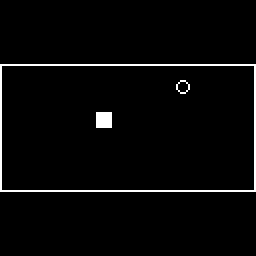
You should see: The snake and its food are drawn on the 128 by 128 screen.
You need
- LP-MSPM0G3519 LaunchPad development kit runs the game
- Waveshare 3.5 inch capacitive touch LCD the screen and touch panel
Wire the panel.BENCH
Wire the Waveshare 3.5 inch panel with 13 jumper wires, at 3.3 V only. Power: VCC to J1 pin 1 (3V3), GND to J2 pin 20 (GND). Screen: SCLK to J1 pin 7 (PB31), MOSI to J2 pin 15 (PB8), MISO to J2 pin 14 (PB7, optional), CS to J2 pin 13 (PB12), DC to J4 pin 39 (PB9), BL to J4 pin 38 (PC4), RST to J4 pin 37 (PC5). Touch: SDA to J1 pin 10 (PC3), SCL to J1 pin 9 (PC2), INT to J2 pin 11 (PB14, optional), TP_RST to J2 pin 12 (PB11). Leave the panel's own 3V3 pin and SD_CS empty.
You should see: Thirteen wires run from the panel to the headers listed, with nothing on J1 pin 2 to 6 or the other pins.
Build the games.TERMINAL
Build for the MSPM0 G3519. Add
BOOT_GAME=1 BENCH=0to start straight in 2048.bash ports/touch-games/build.sh g3519You should see: The script prints the build folder and
touch-games-g3519.out.Flash.TERMINAL
Copy
mspm0g3519/MSPM0G3519_<probe serial>.ccxmltomspm0g3519/MSPM0G3519_<serial>.ccxmlwith your probe serial, then flash the.out.Replace <serial> and <build folder> before you run this.
/Applications/ti/ccs2101/ccs/ccs_base/DebugServer/bin/DSLite flash -c mspm0g3519/MSPM0G3519_<serial>.ccxml -e -f -v <build folder>/touch-games-g3519.out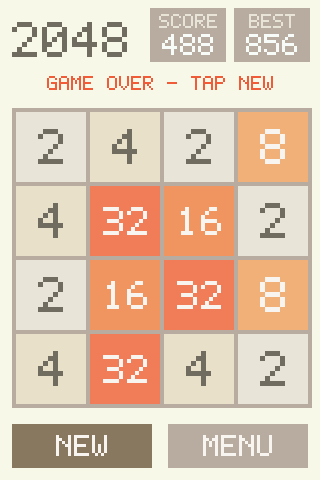
You should see: The panel shows the launcher: two buttons. Tap 2048, swipe a tile.
You need
- LP-MSPM0G3519 LaunchPad development kit runs the game
- Waveshare 3.5 inch capacitive touch LCD the screen and touch panel
Wire the panel.BENCH
Wire the Waveshare 3.5 inch panel with 13 jumper wires, at 3.3 V only. Power: VCC to J1 pin 1 (3V3), GND to J2 pin 20 (GND). Screen: SCLK to J1 pin 7 (PB31), MOSI to J2 pin 15 (PB8), MISO to J2 pin 14 (PB7, optional), CS to J2 pin 13 (PB12), DC to J4 pin 39 (PB9), BL to J4 pin 38 (PC4), RST to J4 pin 37 (PC5). Touch: SDA to J1 pin 10 (PC3), SCL to J1 pin 9 (PC2), INT to J2 pin 11 (PB14, optional), TP_RST to J2 pin 12 (PB11). Leave the panel's own 3V3 pin and SD_CS empty.
You should see: Thirteen wires run from the panel to the headers listed, with nothing on J1 pin 2 to 6 or the other pins.
Fetch the test ROMs.TERMINAL
Download the six chip8-test-suite ROMs.
ports/chip8/tools/fetch_tests.shYou should see: A roms folder holds the six
.ch8files.Build and flash.TERMINAL
Build starting on the Corax+ screen (index 2), then flash the padded binary with DSLite.
BOOT_ROM=2 BENCH=0 ports/chip8/build.sh ports/chip8/tools/flash_look.shYou should see: The panel shows the Corax+ screen with its check marks.
You need
- LP-MSPM0G3519 LaunchPad development kit runs the game
- Waveshare 3.5 inch capacitive touch LCD the screen and touch panel
Wire the panel.BENCH
Wire the Waveshare 3.5 inch panel with 13 jumper wires, at 3.3 V only. Power: VCC to J1 pin 1 (3V3), GND to J2 pin 20 (GND). Screen: SCLK to J1 pin 7 (PB31), MOSI to J2 pin 15 (PB8), MISO to J2 pin 14 (PB7, optional), CS to J2 pin 13 (PB12), DC to J4 pin 39 (PB9), BL to J4 pin 38 (PC4), RST to J4 pin 37 (PC5). Touch: SDA to J1 pin 10 (PC3), SCL to J1 pin 9 (PC2), INT to J2 pin 11 (PB14, optional), TP_RST to J2 pin 12 (PB11). Leave the panel's own 3V3 pin and SD_CS empty.
You should see: Thirteen wires run from the panel to the headers listed, with nothing on J1 pin 2 to 6 or the other pins.
Build with your ROM.TERMINAL
Build with the Z80 core in SRAM. Without
ZX_ROMthe build makes the ROM-less test image.ZX_ROM=/path/to/rom RAMFUNC=1 ports/zx-spectrum/build.shYou should see: The script prints the build folder and
zx-g3519.bin.Flash.TERMINAL
Flash the binary with DSLite.
Replace <build folder> before you run this.
ports/chip8/tools/flash_look.sh <build folder>/zx-g3519.binYou should see: The panel shows the Spectrum screen; with a ROM, the copyright line and a cursor.
Or hand it to a coding assistant
Paste this in a terminal. It hands off to an AI assistant.
git clone --depth 1 --filter=blob:none https://github.com/Fox-Red-Labs/fox-red-labs.git && cd fox-red-labs
./start.sh mspm33c321a arcade --assistant claudegit clone --depth 1 --filter=blob:none https://github.com/Fox-Red-Labs/fox-red-labs.git && cd fox-red-labs
py start.py mspm33c321a arcade --assistant claudeIt runs the steps above and reports what it saw.
Not Claude Code? Copy this prompt instead.
Or hand it to a coding assistant
Paste this in a terminal. It hands off to an AI assistant.
git clone --depth 1 --filter=blob:none https://github.com/Fox-Red-Labs/fox-red-labs.git && cd fox-red-labs
./start.sh mspm33c321a arcade --assistant claudegit clone --depth 1 --filter=blob:none https://github.com/Fox-Red-Labs/fox-red-labs.git && cd fox-red-labs
py start.py mspm33c321a arcade --assistant claudeIt runs the steps above and reports what it saw.
Not Claude Code? Copy this prompt instead.
Or hand it to a coding assistant
Paste this in a terminal. It hands off to an AI assistant.
git clone --depth 1 --filter=blob:none https://github.com/Fox-Red-Labs/fox-red-labs.git && cd fox-red-labs
./start.sh mspm0g3519 arcade --assistant claudegit clone --depth 1 --filter=blob:none https://github.com/Fox-Red-Labs/fox-red-labs.git && cd fox-red-labs
py start.py mspm0g3519 arcade --assistant claudeIt runs the steps above and reports what it saw.
Not Claude Code? Copy this prompt instead.
Or hand it to a coding assistant
Paste this in a terminal. It hands off to an AI assistant.
git clone --depth 1 --filter=blob:none https://github.com/Fox-Red-Labs/fox-red-labs.git && cd fox-red-labs
./start.sh mspm0g3519 arcade --assistant claudegit clone --depth 1 --filter=blob:none https://github.com/Fox-Red-Labs/fox-red-labs.git && cd fox-red-labs
py start.py mspm0g3519 arcade --assistant claudeIt runs the steps above and reports what it saw.
Not Claude Code? Copy this prompt instead.
Or hand it to a coding assistant
Paste this in a terminal. It hands off to an AI assistant.
git clone --depth 1 --filter=blob:none https://github.com/Fox-Red-Labs/fox-red-labs.git && cd fox-red-labs
./start.sh mspm0g3519 arcade --assistant claudegit clone --depth 1 --filter=blob:none https://github.com/Fox-Red-Labs/fox-red-labs.git && cd fox-red-labs
py start.py mspm0g3519 arcade --assistant claudeIt runs the steps above and reports what it saw.
Not Claude Code? Copy this prompt instead.
If something goes wrong
| It stops on a hash mismatch | Delete roms/ and run it again; do not use a file it refused. |
| The SDK is not found | Install it as mac-setup/README.md says and run the line again. |
DSLite reports Device Connection Error ... low power mode | Reset the probe with xds110reset -s <serial> -a toggle -d 200 (it sits beside xdsdfu) and flash again. |
Every fix for this board: the FAQ.
| The SDK is not found | Install it as mac-setup/README.md says and run the line again. |
DSLite reports Device Connection Error ... low power mode | Reset the probe with xds110reset -s <serial> -a toggle -d 200 (it sits beside xdsdfu) and flash again. |
Every fix for this board: the FAQ.
| The screen stays dark later | Check VCC is on J1 pin 1 and not the panel's own 3V3 pin. |
| The SDK is not found | Install it as mac-setup/README.md says and run the line again. |
DSLite reports Device Connection Error ... low power mode | Reset the probe with xds110reset -s <serial> -a toggle -d 200 (it sits beside xdsdfu) and flash again. |
Every fix for this board: the FAQ.
| The screen stays dark later | Check VCC is on J1 pin 1 and not the panel's own 3V3 pin. |
| A download fails | Rerun the script. |
DSLite reports Device Connection Error ... low power mode | Reset the probe with xds110reset -s <serial> -a toggle -d 200 (it sits beside xdsdfu) and flash again. |
Every fix for this board: the FAQ.
| The screen stays dark later | Check VCC is on J1 pin 1 and not the panel's own 3V3 pin. |
| The link fails on a missing ROM path | Build once without ZX_ROM to confirm the toolchain, then add the path. |
DSLite reports Device Connection Error ... low power mode | Reset the probe with xds110reset -s <serial> -a toggle -d 200 (it sits beside xdsdfu) and flash again. |
Every fix for this board: the FAQ.
What to build next
Every build. The code for all of them is in the GitHub repository.
Evidence and limitsA Game Boy game plays at console speed on an MSPM33 C321A screen; 2048, CHIP-8 and a ZX Spectrum run on an MSPM0 G3519 touch panel. Ran on 2 boards. Results, sources, timing and limits.
Game Boy: Tobu Tobu Girl on the BoosterPack screen
Expected result: The BoosterPack screen shows Tobu Tobu Girl running at the console's speed.
What this shows
- A Game Boy emulator keeps console speed on a Cortex-M33 at 160 MHz with a 128 by 128 screen: 0 late frames in 8,167.
- The 160 by 144 picture is scaled to 128 by 128 by a lookup table while the next line renders and the rows stream out by DMA.
What this does not establish, and limits
What this does not establish
- Nobody has played it by hand: the buttons were driven by script on the Mac and the stick and buttons were not judged by a person on the board.
- The screen shows every second frame, about 30 a second.
Limits to keep in mind
- Aspect ratio: the Game Boy picture is 160 by 144 (10 to 9); the screen shows it at 128 by 128, so it is 20 percent narrower and 11 percent shorter. The true ratio is not kept.
- Joystick up was not checked by hand on the board, so the direction mapping is unconfirmed.
- No sound, no saved games.
Sources
Versions, sizes and timing
| Image | 275 kB of flash for the 256 kB game plus emulator, 32.4 kB of RAM at the first image | the data (CSV) |
|---|---|---|
| Speed steps | table scaler, DMA rows, frame skip, 160 MHz: 2.85 million instructions a frame down to 0.59 million | the data (CSV) |
Evidence
- The 160 MHz frame-skip image ran 8,167 emulated frames with 0 finishing late, paced to the console's 59.7 frames a second; the screen got about 30 a second. README notes
- The first image, at 32 MHz with the averaging scaler, ran at 6.7 frames a second; the steps that raised it are in the README. the data (CSV)
Other boards
- MSPM0L1306, CC2340R5, F2800137
- MSPM0G3519should work
- MSPM0G3507, MSPM0G5187Not for this chip not enough flash
What the status words mean
Works ran here and did what it shouldCould work some of it ran; real porting effort is left; hover for whatNot for this chip the chip or its vendor software cannot; hover for why
Arduboy games: Snake on the BoosterPack screen
Expected result: Snake runs on the BoosterPack screen.
What this shows
- Arduboy2-style games link unchanged against a 700-line layer: 5.5 to 9.6 kB of flash and 3.3 to 3.8 kB of RAM each.
What this does not establish, and limits
What this does not establish
- Nobody has steered it by hand: the stick and buzzer were not read by a person. TileWorld and Crate Confusion link and run on the Mac; they were not drawn on the board.
Limits to keep in mind
- Aspect ratio: the Arduboy screen is 128 by 64 (2 to 1) and the layer doubles it to 128 by 128, so the picture is stretched to twice the height. The true ratio is not kept.
- Joystick up was not checked by hand on the board. The EDUMKII stick rests off center; the layer learns the center from the first samples.
- No sound.
Sources
Versions, sizes and timing
| Snake on the M33 | 20.7 kB of flash, 6.8 kB of RAM, 32.9 frames a second at 32 MHz | the data (CSV) |
|---|
Evidence
- Snake ran on the MSPM33 C321A with the Educational BoosterPack at 32.9 frames a second (min over frames after the second); the bench camera saw it drawn. the data (CSV)
- Three games (Snake, TileWorld, Crate Confusion) build unchanged and answer scripted stick and button input on the Mac; the frame PNGs were looked at by eye. README notes
Other boards
- MSPM0L1306, CC2340R5, F2800137
- MSPM0G3519should work
- MSPM0G3507, MSPM0G5187Not for this chip not enough flash
What the status words mean
Works ran here and did what it shouldCould work some of it ran; real porting effort is left; hover for whatNot for this chip the chip or its vendor software cannot; hover for why
2048 and Minesweeper on a 3.5 inch touch panel
Expected result: The panel shows the launcher with two buttons. 2048 takes swipes and Minesweeper takes taps.
What this shows
- Two games fit in 9.9 kB of flash and 3.5 kB of RAM beside a gesture layer. They port to another board by writing eight small functions.
What this does not establish, and limits
What this does not establish
- Minesweeper by finger was not judged by a person; its timing is from scripted taps.
Limits to keep in mind
- Aspect ratio: both games draw 1 to 1 on the 320 by 480 panel in portrait; there is no source picture to stretch. There is no stick: the games take touch only, so the joystick-up check does not apply.
- The 40 MHz SPI used is above the panel's rating of about 15 MHz; at 20 MHz a swipe redraw takes 61.6 ms.
Sources
Versions, sizes and timing
| Size | 9.7 kB of flash and 3,472 of RAM | the data (CSV) |
|---|---|---|
| Redraws at 40 MHz SPI | 2048 swipe 32.6 ms mean; Minesweeper one-cell tap 1.09 ms | the data (CSV) |
Evidence
- 2048 was played on the Waveshare panel with working touch; a scripted swipe takes 32.6 ms of redraw at 40 MHz SPI. the data (CSV)
- 215 host checks pass on the gestures, the 2048 rules and the Minesweeper rules. README notes
Other boards
- MSPM0L1306, CC2340R5, F2800137
- MSPM33C321Aran another way
- MSPM0G3507, MSPM0G5187Not for this chip not enough flash
What the status words mean
Works ran here and did what it shouldCould work some of it ran; real porting effort is left; hover for whatNot for this chip the chip or its vendor software cannot; hover for why
CHIP-8 on the touch panel
Expected result: The panel shows the Corax+ test screen with its check marks, a ROM bar and a 4 by 4 key pad.
What this shows
- The interpreter runs 526k CHIP-8 instructions a second flat out at 80 MHz, 751 times a typical 700-a-second game pace.
What this does not establish, and limits
What this does not establish
- The touch key pad was not tapped by a person; the keypad test ROM waits for that.
- Sound: the timer runs and nothing plays.
Limits to keep in mind
- Aspect ratio: the 64 by 32 screen is drawn at 5 times in both directions (320 by 160), so the 2 to 1 shape is kept. There is no stick; the key pad is touch, so the joystick-up check does not apply.
- The check read is the frame buffer, not the screen: a camera cannot tell a check mark from a cross at its resolution.
Sources
Versions, sizes and timing
| Size | 13.5 kB of flash and 10,652 of RAM | the data (CSV) |
|---|---|---|
| Full redraw | 14.2 ms for 51,200 pixels at 40 MHz SPI | the data (CSV) |
Evidence
- The board's frame buffer equals the host interpreter's screen for 5 of 5 test ROMs read through OpenOCD; the host screens match the suite's pictures by eye. the data (CSV)
Other boards
- MSPM0L1306, CC2340R5, F2800137
- MSPM33C321Aran another way
- MSPM0G3507, MSPM0G5187Not for this chip not enough flash
What the status words mean
Works ran here and did what it shouldCould work some of it ran; real porting effort is left; hover for whatNot for this chip the chip or its vendor software cannot; hover for why
ZX Spectrum 48K with BASIC and a touch keyboard
Expected result: The panel shows the Spectrum screen at 256 by 192 with a keyboard below. With a ROM you supply, the BASIC prompt appears.
What this shows
- The machine runs at 19.4 percent of a real Spectrum at the BASIC prompt with the Z80 core copied into SRAM, 19.0 percent with the screen drawn.
What this does not establish, and limits
What this does not establish
- Nobody has typed on the touch keyboard: that check waits for a person.
- The 16 kB system ROM is copyrighted; you supply it. Without one the build runs a ROM-less test program with no Sinclair code.
Limits to keep in mind
- Aspect ratio: the 256 by 192 screen is drawn 1 to 1, so the 4 to 3 shape is kept. There is no stick; keys are touch, so the joystick-up check does not apply.
- Speed is a fifth of a real machine, and code in flash runs slower: 15.9 percent.
Sources
Versions, sizes and timing
| Size | 62.5 kB of flash and 62,489 of RAM (the 48 kB Spectrum RAM included) | the data (CSV) |
|---|---|---|
| Speed | 19.4 percent of a real Spectrum at the BASIC prompt, core in SRAM | the data (CSV) |
Evidence
- The board's screen memory equals the host machine's after 400 frames, for the ROM-less image and for OpenSE BASIC (2 of 2). the data (CSV)
Other boards
- MSPM0L1306, CC2340R5, F2800137
- MSPM33C321Aran another way
- MSPM0G3507, MSPM0G5187Not for this chip not enough flash
What the status words mean
Works ran here and did what it shouldCould work some of it ran; real porting effort is left; hover for whatNot for this chip the chip or its vendor software cannot; hover for why
Result grid
Works ran here and did what it shouldShould work it builds; only naming, packaging or build glue is in the way; hover for whichCould work some of it ran; real porting effort is left; hover for whatNot for this chip the chip or its vendor software cannot; hover for why
Experiments (1)
| Status | What was tried | Result |
|---|---|---|
| Works | Can the AM62L run SNES and PlayStation emulation at full speed on HDMI? TMDS62LEVM (AM62L evaluation module), 2026-11-01 | With no X server, no container and no OpenGL, a 300-line libretro frontend that draws straight onto the HDMI connector through DRM/KMS runs Snes9x 2005 at a locked 60 fps at every HDMI mode up to 1920x1080 (core 2.5... |
Source files
- Peanut-GB Game Boy emulator on MSPM0 and MSPM33 LaunchPad kits (MSPM33 C321A)
- Bench results (MSPM0 G3519): numbers measured on the bench
Code brought from elsewhere
This project uses code that was written for other chips or tools. Each links to how to get it running.
- 2048 and Minesweeper on the LP-MSPM0G3519 with a 3.5 inch touch display Works 2048 and Minesweeper run on the MSPM0 G3519 with a 3.5 inch touch display.
- CHIP-8 interpreter and the chip8-test-suite on the LP-MSPM0G3519 touch panel Works A CHIP-8 interpreter runs the chip8-test-suite ROMs on the MSPM0 G3519 touch panel, with the frame buffer equal to the host's for five of six.
- Peanut-GB Game Boy emulator on MSPM0 and MSPM33 Works Peanut-GB plays Tobu Tobu Girl on the MSPM33 C321A with the Educational BoosterPack screen at the console's own speed.
- Arduboy2-compatible layer and three open-source games on MSPM0 and MSPM33 Could work Snake, TileWorld and Crate Confusion build unchanged against an Arduboy2-compatible layer for four kits, and Snake draws on the MSPM33 C321A's Educational BoosterPack screen.
- ZX Spectrum 48K (floooh/chips Z80 core) on the LP-MSPM0G3519 touch panel Could work A ZX Spectrum 48K runs on the MSPM0 G3519 touch panel, and its screen memory equals the host machine's after 400 frames.
Get the code and tell us how it wentThe clone command, the board folder with its AGENTS.md, reports from others, and the three report forms.
Get the code
Clone the repository and open the board's folder below. AGENTS.md is a plain text file of notes for AI coding assistants, and llms.txt at the root indexes the site for one.
git clone https://github.com/Fox-Red-Labs/fox-red-labs.git- LP-MSPM33C321A: folder
mspm33c321a/.- README: the board's lab notebook (what was run, in order)
- Notes for an AI coding assistant working in this repository: notes for an AI assistant; copy it into your own project if you use one
- FAQ: errors and fixes
The other 1 board folder
- LP-MSPM0G3519: folder
mspm0g3519/.- README: the board's lab notebook (what was run, in order)
- Notes for an AI coding assistant working in this repository: notes for an AI assistant; copy it into your own project if you use one
- FAQ: errors and fixes
- LP-MSPM0G3519: folder
Code is BSD-3-Clause, writing is CC BY 4.0; third-party folders keep their own licenses.
Built it? Tell us
Built this, or got stuck? Report it on GitHub with a few short answers. Your report shows here in your words, marked as yours. A failure that repeats on the bench gets its fix here.