Fox Red Labs / Builds / Tools and languages
Build and flash a TI example from one terminal
One make line builds TI's example and one flash line puts it on the board. There is no window to click, so you can run it from a terminal.
EasyNo wiring5 min once the tools are installed (12 GB, once)
Parts and steps
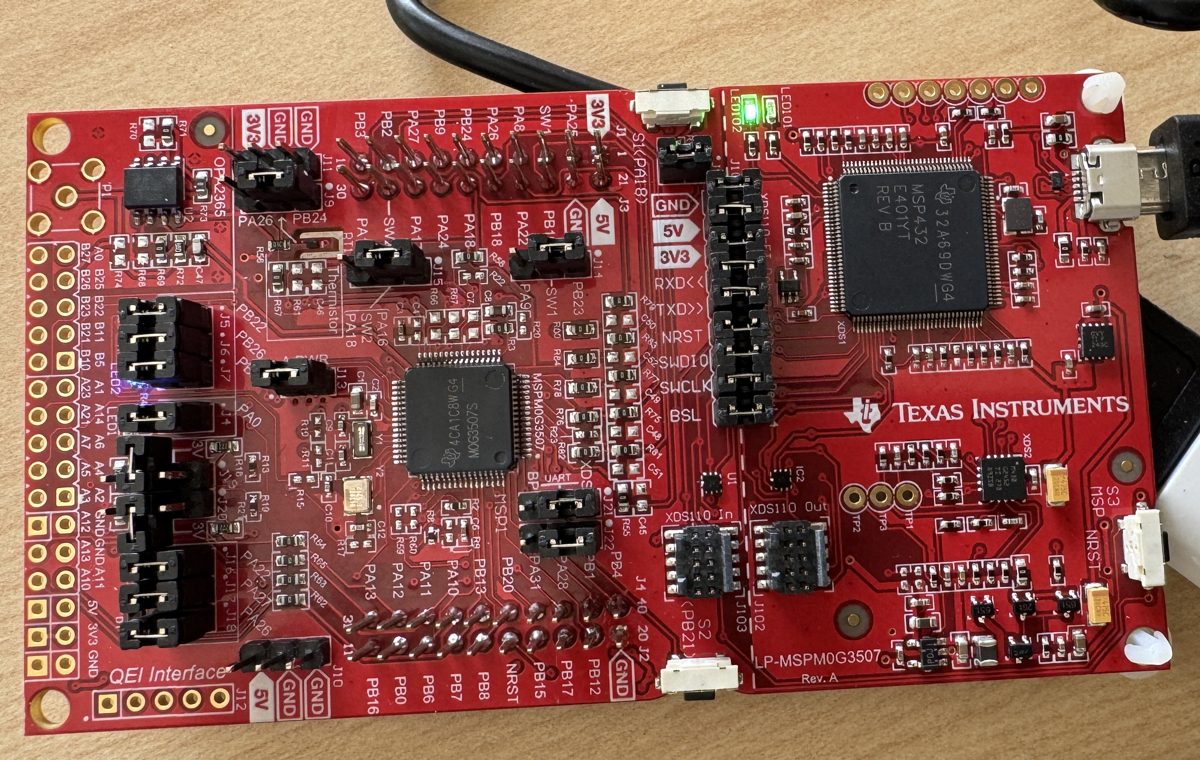
Your board
You need
- LP-MSPM0L1306 LaunchPad development kit Buy the board
- Micro-USB data cable power and programming
Set up your computer once: 1 step. Done already? Start at step 2.
Install the tools once, all free: CCStudio 21.0.1 from TI's CCStudio download page (1.9 GB download, 8.1 GB installed, free myTI login) (it brings TI Arm Clang 5.1.1), the MSPM0 SDK 2.11.00.07 from TI's MSPM0 SDK download page (0.4 GB download, 2.2 GB installed), SysConfig 1.26.3 (TI's SysConfig page, 0.96 GB installed), and xPack OpenOCD 0.12.0-7 from its GitHub release page (2 MB; the file xpack-openocd-0.12.0-7-darwin-x64.tar.gz on an Intel Mac, xpack-openocd-0.12.0-7-darwin-arm64.tar.gz on Apple Silicon).TERMINAL
Then clone this repository into
<repository folder>for the helper scriptssdkmake.shandtools/ocd.sh. SysConfig 1.26.3, the version this repo's scripts point at, came with the SimpleLink Wi-Fi SDK installer on the test Mac (it put it in/Applications/ti/sysconfig_1.26.3); CCStudio 21.0.1 carries its own 1.28.1, which this repo's scripts do not point at.You should see:
/Applications/ti/ccs2101/ccs/tools/compiler/ti-cgt-armllvm_5.1.1.LTS/bin/tiarmclang --versionprints 5.1.1.
Plug the board into the Mac with a micro-USB data cable.BENCH
It shows up as an XDS110 probe with two serial ports; there is no driver to install. Read your probe's serial number from the port names.
ls /dev/cu.usbmodem*You should see: Two ports named
/dev/cu.usbmodem<serial>1and...4. The part betweenusbmodemand the last digit is your probe's serial number.From the mspm0l1306 folder of this repository, copy one of TI's examples out of the SDK and build it with one make line.TERMINAL
Any example folder works the same way; the blink is the one that was timed.
Replace <repository folder> before you run this.
cd <repository folder>/mspm0l1306 cp -R /Applications/ti/mspm0_sdk_2_11_00_07/examples/nortos/LP_MSPM0L1306/driverlib/gpio_toggle_output . ../mspm0g3507/mcu-bench/sdk-common/sdkmake.sh gpio_toggle_output/ticlangYou should see: A build with no errors that leaves
gpio_toggle_output/ticlang/gpio_toggle_output.out. It took 3.3 s for the blink. 167 of the board's 170 SDK examples build this way.Flash it with OpenOCD. tools/ocd.sh picks the probe by serial number and refuses to run if it is missing; set PROBE to your serial first (<probe serial> below stands for it).TERMINAL
To find yours, run
/Applications/ti/ccs2101/ccs/ccs_base/common/uscif/xds110/xdsdfu -eif you have CCStudio (it printsSerial Num:), elsesystem_profiler SPUSBDataType | grep -A3 XDS110. Run it from the same folder as the build step.Replace <probe serial> before you run this.
export PROBE=<probe serial> tools/ocd.sh "reset halt" "program gpio_toggle_output/ticlang/gpio_toggle_output.out verify" "reset run"You should see: OpenOCD ends with
** Verified OK **in about 0.6 s, and the RGB LED cycles.
You need
- LP-EM-CC2340R5 LaunchPad development kit Buy the board
- LP-XDS110ET debugger Buy the debug probe
Set up your computer once: 1 step. Done already? Start at step 2.
Install the tools once, all free: the SimpleLink Low Power F3 SDK 9.21.00.36 LTS from TI's SDK page (the macOS installer, 536 MB), CCStudio 21.0.1 from TI's CCStudio download page (1.9 GB download, 8.1 GB installed, free myTI login) (it brings TI Arm Clang 5.1.1), SysConfig 1.26.3 and UniFlash 9.6.0 from TI's UniFlash page (0.3 GB download, 1.9 GB installed).TERMINAL
Clone this repository into
<repository folder>for the example copy incc2340r5/src. SysConfig 1.26.3, the version this repo's scripts point at, came with the SimpleLink Wi-Fi SDK installer (10.20.00.39, which you do not need otherwise; you can get SysConfig alone from TI's SysConfig page, 0.96 GB installed) on the test Mac (it put it in/Applications/ti/sysconfig_1.26.3); CCStudio 21.0.1 carries its own 1.28.1, which this repo's scripts do not point at.You should see:
/Applications/ti/uniflash_9.6.0/dslite.sh --helpprints its options, and the folder/Applications/ti/simplelink_lowpower_f3_sdk_9_21_00_36_LTSexists.
Clip the LP-XDS110ET probe onto the LP-EM-CC2340R5 and plug the probe's USB-C cable into the Mac.BENCH
The board has no USB port and no debugger of its own. Read the probe's serial number.
/Applications/ti/ccs2101/ccs/ccs_base/common/uscif/xds110/xdsdfu -eYou should see:
xdsdfulists the probe with its serial number.Make the connection file with CCStudio's command line rather than by hand: a hand-written file left SWD off and gave misleading errors.TERMINAL
Replace
<any empty folder>with a new empty folder. It takes about four seconds. The file lands intargetConfigs/CC2340R5.ccxmlinside the imported project; put your probe's serial number in it. The repository'scc2340r5/CC2340R5.ccxmlis the file used here.Replace <any empty folder> before you run this.
/Applications/ti/ccs2101/ccs/ccs-server.app/Contents/MacOS/ccs-server-cli.sh -noSplash -workspace <any empty folder> -application com.ti.ccs.apps.importProject -ccs.location /Applications/ti/simplelink_lowpower_f3_sdk_9_21_00_36_LTS/examples/rtos/LP_EM_CC2340R5/drivers/empty/freertos/ticlang/empty_LP_EM_CC2340R5_freertos_ticlang.projectspecYou should see: A
targetConfigs/CC2340R5.ccxmlfile in the imported project.Build TI's drivers/empty blink.TERMINAL
A copy is in
cc2340r5/src. The three paths are where TI's installers put the tools; the SDK's own build settings point at folders that do not exist.cd cc2340r5/src/freertos/ticlang make SIMPLELINK_LOWPOWER_F3_SDK_INSTALL_DIR=/Applications/ti/simplelink_lowpower_f3_sdk_9_21_00_36_LTS \ SYSCONFIG_TOOL=/Applications/ti/sysconfig_1.26.3/sysconfig_cli.sh \ TICLANG_ARMCOMPILER=/Applications/ti/ccs2101/ccs/tools/compiler/ti-cgt-armllvm_5.1.1.LTSYou should see:
empty.outandempty.hexappear. The build took 22 s.Flash it with UniFlash's command line, from the cc2340r5 folder. -u runs the program afterwards and -e prints progress (it is not erase).TERMINAL
Do not add
-v: verify reports one mismatch in the boot configuration area and ends witha data verification error occurred, file load failed, although the program was written and ran./Applications/ti/uniflash_9.6.0/dslite.sh --mode flash -c CC2340R5.ccxml -e -f -u src/freertos/ticlang/empty.hexYou should see: The flash took 7 s and the red LED (DIO14) is on for one second and off for one second. The host confirmed it by eye.
You need
Set up your computer once: 1 step. Done already? Start at step 2.
Install CCStudio 21.0.1 with every device family (about 10 GB; it brings the C2000 compiler and SysConfig).TERMINAL
Then get only the parts of C2000Ware this chip needs from TI's public GitHub repository (no myTI login). The two commands below give the same files as a full checkout. The scripts in this repository's
c2000-launchpad/toolsexpect CCStudio in/Applications/ti/ccs2101and C2000Ware in/Applications/ti/c2000ware_core_26_02_00_00.git clone --filter=blob:none --depth 1 --sparse --branch REL_C2000Ware_v26.02.00.00.LTS https://github.com/TexasInstruments/c2000ware-core-sdk.git /Applications/ti/c2000ware_core_26_02_00_00 git -C /Applications/ti/c2000ware_core_26_02_00_00 sparse-checkout set .metadata boards device_support/f280013x driverlib/.meta driverlib/f280013x libraries utilities/clb_tool/clb_syscfg utilities/cmd_tool utilities/dcsm_tool/dcsm_syscfg utilities/transferYou should see:
ls /Applications/ti/c2000ware_core_26_02_00_00/driverlib/f280013x/examples/ledlists the blink example. C2000Ware takes 427 MB on disk including its git folder.
Plug the board into the Mac and check the onboard probe's firmware.BENCH
If it is older than 3.0.0.43, update it first with the two
xdsdfucommands in the board's FAQ. Then put your probe's serial number in place of the serial in the.ccxmlcopy named with <probe serial>; that file sets the 2-pin cJTAG mode this board needs.cd /Applications/ti/ccs2101/ccs/ccs_base/common/uscif/xds110 ./xdsdfu -eYou should see:
xdsdfulists the probe with its firmware version and serial number. The test probe arrived on 3.0.0.19 and TI's tools would not connect until it was on 3.0.0.43.From the c2000-launchpad folder, copy TI's blink example and build it for RAM. c2kbuild.sh runs SysConfig, compiles with TI's projectspec flags and links.TERMINAL
cp -R /Applications/ti/c2000ware_core_26_02_00_00/driverlib/f280013x/examples/led /tmp/led_ex1_blinky tools/c2kbuild.sh /tmp/led_ex1_blinky RAMYou should see: A build that leaves
/tmp/led_ex1_blinky/build-RAM-Ooff/led_ex1_blinky.out. It took 4.6 s.Load it and watch the LED pin (GPIO20, sampled 8 times 250 ms apart) with CCStudio's scripting runner.TERMINAL
Separate UniFlash command-line calls each reconnect, so they cannot watch a running program.
/Applications/ti/ccs2101/ccs/scripting/run.sh tools/c2krun.js /tmp/led_ex1_blinky/build-RAM-Ooff/led_ex1_blinky.out blinkYou should see: The load took 3.9 s and the pin was seen toggling (observed 2026-10-06; the output was not saved). This is a RAM load: the program is gone at power-off.
Or hand it to a coding assistant
Paste this in a terminal. It hands off to an AI assistant.
git clone --depth 1 --filter=blob:none https://github.com/Fox-Red-Labs/fox-red-labs.git && cd fox-red-labs
./start.sh mspm0l1306 build-from-terminal --assistant claudegit clone --depth 1 --filter=blob:none https://github.com/Fox-Red-Labs/fox-red-labs.git && cd fox-red-labs
py start.py mspm0l1306 build-from-terminal --assistant claudeIt runs the steps above and reports what it saw.
Not Claude Code? Copy this prompt instead.
Or hand it to a coding assistant
Paste this in a terminal. It hands off to an AI assistant.
git clone --depth 1 --filter=blob:none https://github.com/Fox-Red-Labs/fox-red-labs.git && cd fox-red-labs
./start.sh cc2340r5 build-from-terminal --assistant claudegit clone --depth 1 --filter=blob:none https://github.com/Fox-Red-Labs/fox-red-labs.git && cd fox-red-labs
py start.py cc2340r5 build-from-terminal --assistant claudeIt runs the steps above and reports what it saw.
Not Claude Code? Copy this prompt instead.
Or hand it to a coding assistant
Paste this in a terminal. It hands off to an AI assistant.
git clone --depth 1 --filter=blob:none https://github.com/Fox-Red-Labs/fox-red-labs.git && cd fox-red-labs
./start.sh f2800137 build-from-terminal --assistant claudegit clone --depth 1 --filter=blob:none https://github.com/Fox-Red-Labs/fox-red-labs.git && cd fox-red-labs
py start.py f2800137 build-from-terminal --assistant claudeIt runs the steps above and reports what it saw.
Not Claude Code? Copy this prompt instead.
If something goes wrong
Your tools live somewhere other than /Applications/ti | Edit the paths at the top of mspm0g3507/mcu-bench/sdk-common/sdkmake.sh. |
| Nothing appears | Try another cable; a charge-only cable looks the same. |
| The build cannot find SysConfig or the compiler | The paths in sdkmake.sh do not match your install (step 1). |
| OpenOCD prints `Error | Checksum mismatch - attempting binary compare` first; that is normal, and the next line is the real result. |
Every fix for this board: the FAQ.
| Your tools live elsewhere | Pass your own three paths on the make line in step 4. |
A flash later fails with The target failed to see a correctly formatted SWD header (error -615) | Unplug the cable, pull the probe off the board, press it back on and plug in again. |
Do not trust dslite.sh -p as a connection test | It printed the flash operations without talking to the chip while every real connection failed. |
| Make stops on a folder that does not exist or a placeholder user name | The SDK's imports.mak is being read; pass all three paths on the make line as above. |
You see error -615 or Unable to access the DAP | Check the connection file has SWD on (step 3) and the probe is seated (step 2). |
Every fix for this board: the FAQ.
| Your tools live elsewhere | Edit the paths at the top of each script in c2000-launchpad/tools. |
UniFlash or CCStudio prints A firmware update is required for the XDS110 probe and times out after 45 seconds | Update the probe firmware. |
| The connection fails with error -2131 | Unable to access device register, the connection file lacks the cJTAG setting (SWD Mode Settings = 4). |
| The build cannot find C2000Ware or the compiler | The paths at the top of tools/c2kbuild.sh do not match your install. |
The first connection can print Configuring Debugger (may take a few minutes on first launch); it took 1.8 s on the board tried, but give the first connection a long timeout | To keep the program, build with FLASH in place of RAM and run the same command on build-FLASH-Ooff/led_ex1_blinky.out; the blink example was not timed from flash. |
Every fix for this board: the FAQ.
What to build next
Every build. The code for all of them is in the GitHub repository.
Evidence and limitsOne command builds TI's examples with no window: 262 of 270 on the G3507. Ran on 3 boards. Results, sources, timing and limits.
MSPM0 LaunchPad: make and OpenOCD
Expected result: One build line and one flash line take TI's example from the SDK to a running program on the board in under 5 seconds of machine time. No window, nothing to click.
What this shows
- TI's example builds with one make line and flashes with one OpenOCD line on the MSPM0 L1306: 3.3 s and 0.6 s for the blink, and the RGB LED cycled.
- 167 of 170 of the board's SDK examples build from the terminal, and all 148 that do not write the boot configuration were flashed and run by script without losing the debugger.
What this does not establish, and limits
What this does not establish
- That an AI assistant can type these lines. The route was timed with a script and by hand, not with an assistant.
- That the 3 examples that do not build are the chip's fault: their causes were not all traced.
- That every example does something you can see: many need extra wiring to show they work.
Limits to keep in mind
- The helper scripts hard-code the Mac paths in step 1.
tools/ocd.shrefuses to run untilPROBEis set to your probe's serial number.
Sources
Why this board
Its debugger is on the board and OpenOCD flashes it in under a second, so the whole route is two commands. The MSPM0 G3507 builds 262 of 270 examples from the terminal.
Versions, sizes and timing
| Blink build and flash | build 3.3 s, OpenOCD program and verify 0.6 s (UniFlash's command line takes 15.0 s for the same image) | README notes |
|---|---|---|
| Examples that build | 167 of 170 SDK examples build from the terminal | |
| Tools | MSPM0 SDK 2.11.00.07, TI Arm Clang 5.1.1.LTS, SysConfig 1.26.3, xPack OpenOCD 0.12.0-7, Intel Mac on macOS 15.7.9 | README notes |
Evidence
- On the MSPM0 L1306 on 2026-10-06, TI's blink example built in 3.3 s and flashed in 0.6 s with OpenOCD from a Mac terminal, and the RGB LED cycled. 167 of the board's 170 SDK examples build with one make. README notes
- The sweep builds and flashes SDK examples by script on this board; none of the 148 that do not write the boot configuration crashed.
Other boards
- MSPM0G3507, MSPM0C1104should work
- CC2340R5, F2800137, MSPM0G3519, CC35X1, CC2755P10, MSPM0G5187ran another way
What the status words mean
Works ran here and did what it shouldCould work some of it ran; real porting effort is left; hover for whatNot for this chip the chip or its vendor software cannot; hover for why
SimpleLink LaunchPad: make and UniFlash
Expected result: A build of about 22 seconds and a flash of about 7 seconds put TI's blink on the board, and the red LED toggles once a second, from a terminal and with no window.
What this shows
- TI's blink for the CC2340R5 builds with one make line and flashes with one UniFlash line from a Mac terminal, and the host saw the red LED blink.
- The gotchas are known and written down: probe seating, the connection file, the SDK's build paths and the verify mismatch.
What this does not establish, and limits
What this does not establish
- A typical first-time duration: the 9 minutes included 8 of probe trouble, and the board was used, not sealed.
- That verify works: with
-vUniFlash reports a mismatch in the boot configuration area on every image flashed, cause unknown. - That an AI assistant can type these lines unaided; one in VS Code did them in a recorded run.
Limits to keep in mind
- The probe is a second board to buy; the CC2340R5 cannot be powered or flashed without one.
- UniFlash's command line needs a connection file that no TI command-line tool writes; step 3 uses CCStudio to make it.
Sources
Versions, sizes and timing
| Build | 22 s, TI Arm Clang 5.1.1.LTS, SimpleLink Low Power F3 SDK 9.21.00.36 LTS, SysConfig 1.26.3 | README notes |
|---|---|---|
| Flash | 7 s with UniFlash 9.6.0 and the XDS110 probe; verify (-v) reports one mismatch at 0x4E020750 in the CCFG user record | README notes |
| Whole run | about 3 min hands-on and 9 min machine time, board in hand to blinking LED, 8 of them a probe connection problem |
Evidence
- On 2026-10-05 on an Intel Mac, TI's drivers/empty built with make in 22 s and flashed with UniFlash in 7 s once the probe was seated; most of the 9 minutes of machine time went to a probe connection error that cleared when the probe was pulled off and pressed back on. The host confirmed the red LED.
- The commands, the three tool paths and the eight gotchas are written in the board folder's README. README notes
Other boards
- MSPM0G3507, MSPM0L1306, F2800137, MSPM0G3519, MSPM0G5187ran another way
- CC2755P10should work
- CC35X1could work
What the status words mean
Works ran here and did what it shouldCould work some of it ran; real porting effort is left; hover for whatNot for this chip the chip or its vendor software cannot; hover for why
C2000 LaunchPad: scripted build and load
Expected result: A build of under 5 seconds and a RAM load of under 5 seconds, then the LED pin toggling, all from a terminal. A flash image needs the FLASH build and was not timed for the blink.
What this shows
- TI's blink example for the LAUNCHXL-F2800137 builds from a Mac terminal in 4.6 s and runs from RAM in 3.9 s, with the LED pin seen toggling.
- 138 of 139 C2000Ware examples for the chip build by script with TI's own flags plus three additions the projects do not list.
What this does not establish, and limits
What this does not establish
- A flash write of the blink: the timed load was to RAM. The flash route is described but the blink was not timed from flash.
- That a person watched the LED: the pin was sampled by the script.
- Anything about Apple Silicon or CCStudio's window.
Limits to keep in mind
- The probe may need a firmware update before TI's tools connect.
- 4-pin JTAG does not work on the board as shipped; the connection file must use 2-pin cJTAG.
- The route needs CCStudio's scripting runner because UniFlash's command-line calls each reconnect.
Sources
Versions, sizes and timing
| Blink | 4.6 s build and 3.9 s RAM load (observed 2026-10-06, not saved); the sweep recorded a 4.1 s load | README notes |
|---|---|---|
| Examples that build | 138 of 139 C2000Ware examples for this chip, by script | README notes |
| Tools | CCStudio 21.0.1, C2000 compiler 25.11.1.LTS, SysConfig 1.28.1, UniFlash 9.6.0, C2000Ware 26.02.00.00 LTS core | README notes |
Evidence
- On 2026-10-06 on an Intel Mac, TI's led_ex1_blinky built from a terminal in 4.6 s and loaded to RAM in 3.9 s with the GPIO20 pin seen toggling; 138 of 139 C2000Ware examples for this chip build by script. README notes
- In the sweep a 4.1 s load and the LED pin seen toggling were recorded for the blink.
Other boards
- MSPM0G3507, MSPM0L1306, CC2340R5, MSPM0G3519, CC35X1, CC2755P10, MSPM0G5187ran another way
What the status words mean
Works ran here and did what it shouldCould work some of it ran; real porting effort is left; hover for whatNot for this chip the chip or its vendor software cannot; hover for why
Result grid
Works ran here and did what it shouldShould work it builds; only naming, packaging or build glue is in the way; hover for whichCould work some of it ran; real porting effort is left; hover for whatNot for this chip the chip or its vendor software cannot; hover for why
Experiments (6)
| Status | What was tried | Result |
|---|---|---|
| Works | Can you change TI LP-EM-CC2340R5 radio settings without the SysConfig GUI? CC2340R5, 2026-10-05 | Four settings changed as text and verified on the board; three more built and booted; one was silently ignored and needed C. |
| Works | Can a TI LP-EM-CC35X1 be built, activated, programmed and read over serial from a Mac terminal, with no Windows step? CC35X1, 2026-10-08 | A Mac terminal does everything the CC35X1 needs with no Windows step: build, sign, activate, program, serial and reset. Edit to blinking LED took 60 s; programming alone takes 20 s. |
| Could work | Can a board with no debug probe give every battery number, and which does it not reach? Raspberry Pi Pico 2 H, 2026-10-11 | Almost all: speed, size and model rows come back over USB serial. Not reached without extra hardware: RAM reads after a crash, power, and the two loopback tests that need wires. |
| Can upstream OpenOCD flash a TI LP-EM-CC2340R5 or LP-EM-CC2755P10 through the XDS110, the way it flashes an MSPM0? CC2340R5, CC2755P10, 2026-10-18 | On the CC2340R5, upstream OpenOCD with the new cc23xx driver programmed and verified TI's blink in 0.37 s and the LED pin toggled; a 511 kB image took 10.5 s to write and read back identical. An SDK hex fails... | |
| Can a reader flash every TI family on the bench with an open tool instead of CCStudio, UniFlash or the Toolbox? MSPM0 G3519, AM13E230, MSPM33 C321A, MSPM0 C1104, CC2340R5, CC35X1, LAUNCHXL-F2800137, AM263P, 2026-10-18 | An open tool programmed TI's blink on the MSPM0 G3519 (upstream OpenOCD, 0.95 s) and the CC2340R5 (TI's own OpenOCD fork, 6.2 s, verify step broken); the AM13E230 and MSPM33 C321A were read byte for byte... | |
| Works | Why does an LP-MSPM0C1104 stop answering its debugger after a flash write that stops short, and how do you bring it back? MSPM0 C1104, 2026-10-19 | A program cut off 40 bytes short faulted before main, so the chip reset in a loop and hid its core; TI's wait-for-debug hold on the power access port stopped the core, and the out-of-box image went back and read... |
Source files
Code brought from elsewhere
This project uses code that was written for other chips or tools. Each links to how to get it running.
- OpenOCD flash driver for the LP-EM-CC2340R5 and LP-EM-CC2755P10 Works OpenOCD erases, writes, verifies and restarts a blink on the CC2340R5 over the XDS110, with no CCStudio or UniFlash.
Get the code and tell us how it wentThe clone command, the board folder with its AGENTS.md, reports from others, and the three report forms.
Get the code
Clone the repository and open the board's folder below. AGENTS.md is a plain text file of notes for AI coding assistants, and llms.txt at the root indexes the site for one.
git clone https://github.com/Fox-Red-Labs/fox-red-labs.git- LP-MSPM0G3507: folder
mspm0g3507/.- README: the board's lab notebook (what was run, in order)
- Notes for an AI coding assistant working in this repository: notes for an AI assistant; copy it into your own project if you use one
- FAQ: errors and fixes
The other 3 board folders
- LP-MSPM0L1306: folder
mspm0l1306/.- README: the board's lab notebook (what was run, in order)
- Notes for an AI coding assistant working in this repository: notes for an AI assistant; copy it into your own project if you use one
- FAQ: errors and fixes
- LP-EM-CC2340R5: folder
cc2340r5/.- README: the board's lab notebook (what was run, in order)
- Notes for an AI coding assistant working in this repository: notes for an AI assistant; copy it into your own project if you use one
- FAQ: errors and fixes
- LAUNCHXL-F2800137: folder
c2000-launchpad/.- README: the board's lab notebook (what was run, in order)
- Notes for an AI coding assistant working in this repository: notes for an AI assistant; copy it into your own project if you use one
- FAQ: errors and fixes
- LP-MSPM0L1306: folder
Code is BSD-3-Clause, writing is CC BY 4.0; third-party folders keep their own licenses.
Built it? Tell us
Built this, or got stuck? Report it on GitHub with a few short answers. Your report shows here in your words, marked as yours. A failure that repeats on the bench gets its fix here.