Doom
186 to 193fps
Drawn straight to the screen, played with a PS4 pad. How
Fox Red Labs / Hardware / TMDS62LEVM / What it runs
The TMDS62LEVM is an AM62L evaluation board: two 1.25 GHz Arm Cortex-A53 cores, 2 GB of RAM and HDMI. Everything below was run on it, and each card says how far it got: fast 2D games, the Docker apps people run on a Raspberry Pi, a Linux VM, Android and Windows 11 on Arm.
Each card is a measured run. The How link opens the code, so you can repeat it.
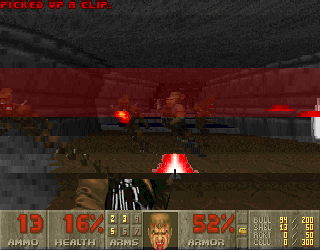
Drawn straight to the screen, played with a PS4 pad. How
The Gambatte core, as Debian ships it. How
Reads the ADC and blinks the LED through /sys. How
Unmodified arm64 Docker images on TI's SDK Linux image. How
Runs through a rebuilt kernel with KVM. How
In a Redroid container on the same kernel; about 1 frame a second when mirrored to HDMI. How
Unattended install under KVM; stops in first-run setup. How
A signed-in store and a game are the next step. How
A small library fills in the ARMv8.1 instructions the A53 lacks. How
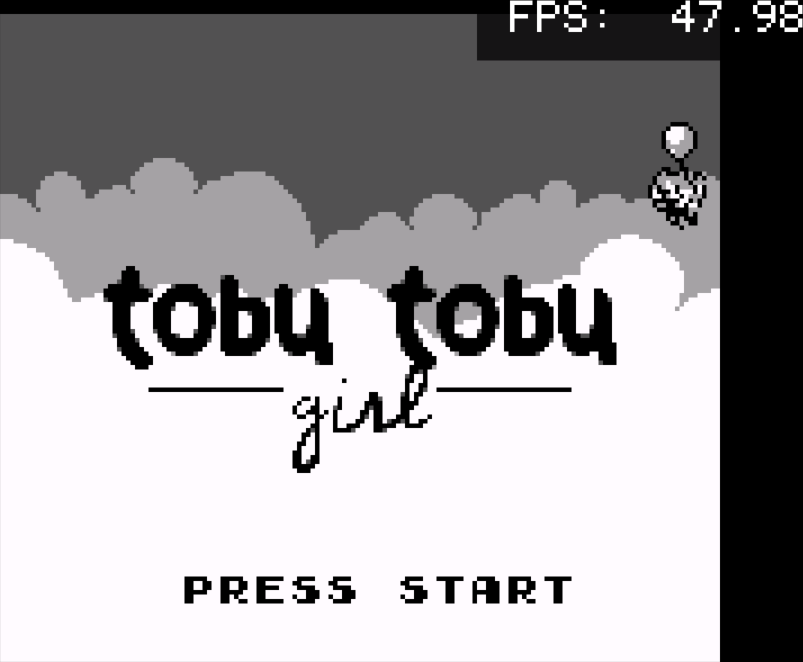
Tobu Tobu Girl, a free homebrew game. At 1080p it drops to 10.4 fps, so set the HDMI mode to 640 x 480 and let the monitor scale.
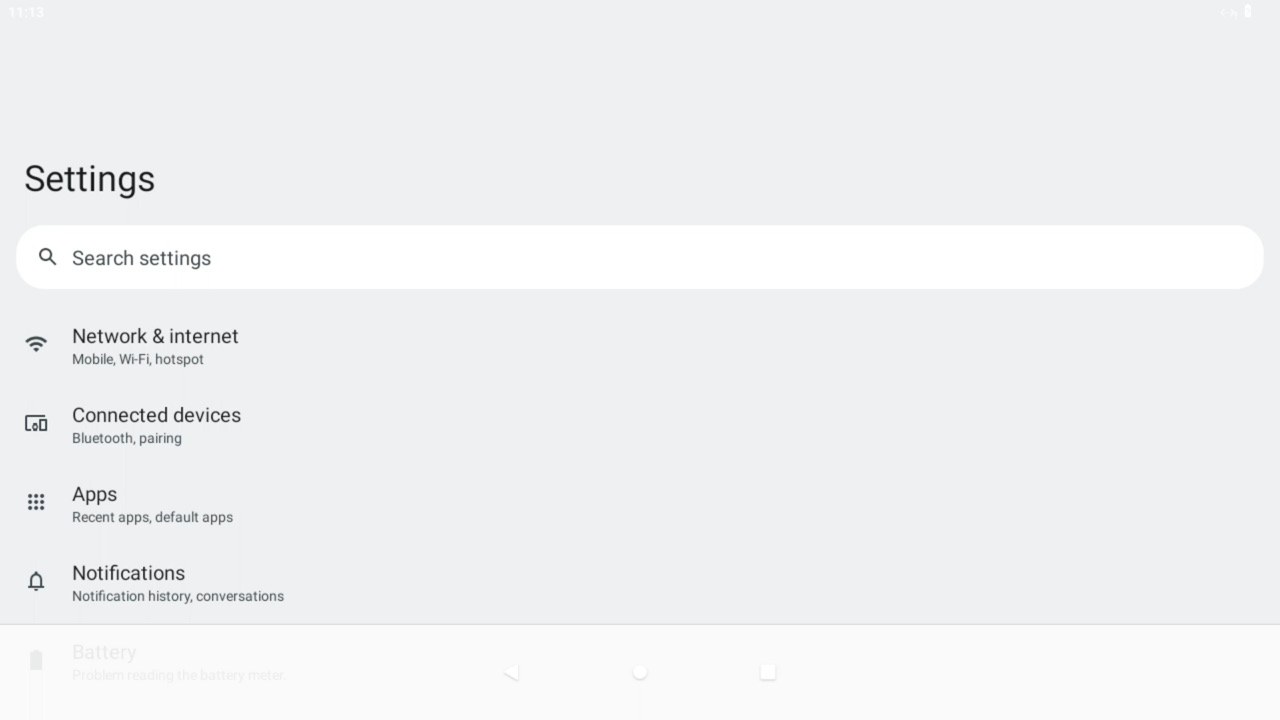
Mirrored to HDMI through scrcpy at about 1 frame a second: a demo, not a phone.
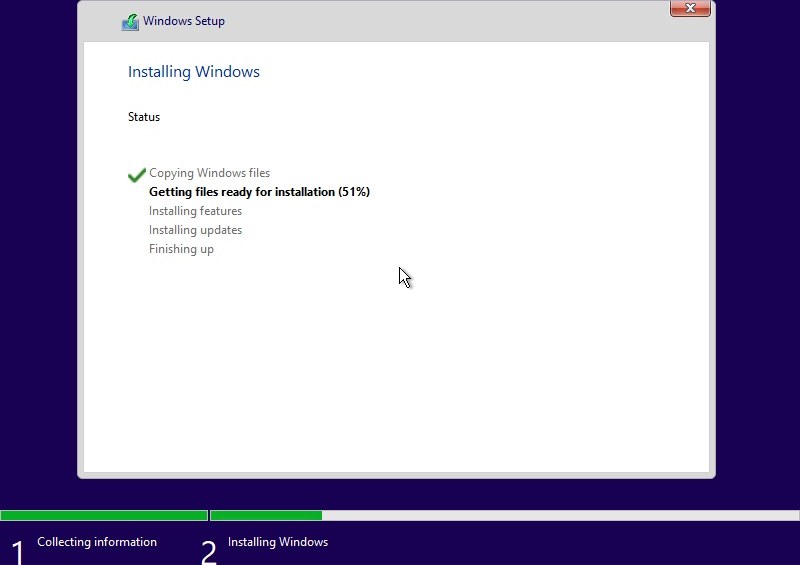
Setup runs unattended and the installed system boots from its own disk twice. First-run setup asks for a network to fetch an update; the VM had none, so there is no desktop.
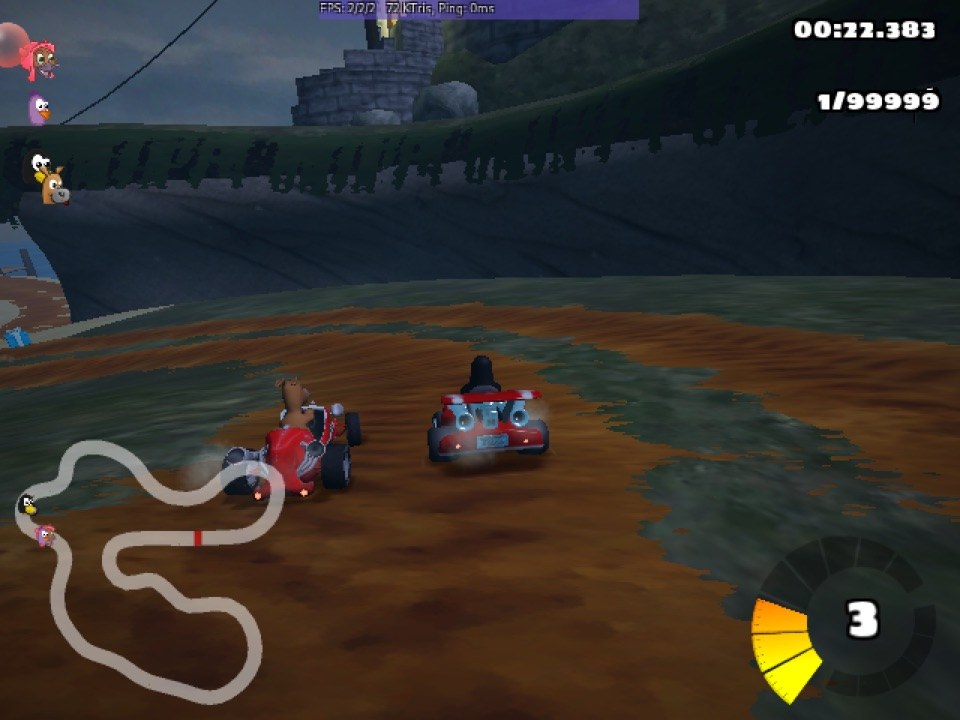
It races, but every 3D frame is drawn by the CPU (4.5 fps in its own off-screen benchmark).
TI's SDK Linux image already has Docker, so the arm64 images a Raspberry Pi owner uses pull and start unchanged.
With Home Assistant running, the board uses 1.1 of its 2 GB, and its eight measured power rails draw about 0.57 W together.
The demo loop that cycles Doom, the LVGL demo, Android, SuperTuxKart and RetroArch on the HDMI screen is in am62l-evm/showcase. On the board, after setup.sh has built its container:
nohup sh /root/frl/showcase/run.sh 120 > /root/frl/showcase/out/loop.log 2>&1 &The board's page has the first steps and fixes: TMDS62LEVM.
Doom: one 173-line doomgeneric platform file writes each 320 x 200 frame into /dev/fb0 and reads the pad through evdev; no SDL or OpenGL. Chocolate Doom through Weston and Mesa llvmpipe: 6.5 fps. With sound and menus through X, dsda-doom 0.29 runs 27 fps at 640 x 480 and 10.5 at 1280 x 720.
app.c: 66 lines of glue and 5 of setup (portability/three-ways/linux), built with GCC 14 on the board; the serial check passes. One C file, eleven boards.
Kernel: TI's 6.18.38 tree with a 34-line config fragment adding KVM, binder, binfmt_misc and the PlayStation drivers (6.18.38-ti-kvm). Reboot to login 32.8 s. Linux VM: Alpine guest CoreMark 3,926 to 4,015 against 4,077 to 4,153 on the host, same binary. Android: Redroid 12.
Windows 11: 22H2 (build 22621.1) from a rebuilt ISO with an answer file, under KVM with 1.6 GB of guest RAM. First-run setup is reached after 1.8 h; it shows "Why did my PC restart?" and asks for a network. The cause of the stop is not known. 24H2 needs the ARMv8.1 atomics the A53 lacks.
Steam: Valve's public-beta arm64 client with five changes: the atomics library, an 11-line FFmpeg shim for three calls Valve's build adds, the browser's pin to CPUs 2 to 6 removed, 512 MB of shared memory, and lsof installed. It runs as a normal user with the browser sandbox on. Sign-in window painted in 46 to 49 s (56 s before patching).
Atomics library: an LD_PRELOAD library (471 lines of C) catches each ARMv8.1 atomic, emulates it with load-exclusive and store-exclusive, then patches the site. Self-test: 6,761 ns per trapped atomic, 19 ns once patched.
Every number is a row in the data (CSV) or a log beside the code, measured 2026-10-24 and 2026-10-25 on a TMDS62LEVM. Write-ups: the HDMI demo loop, open games, Doom and the PS4 pad, Linux apps, KVM and binder kernel, Windows 11 VM, Steam. Linux: TI's SDK 12.01 image, kernel 6.18.38. Power is the 30 s mean of the board's eight INA228 rail monitors.